Blog
Meet the Free DJ App That Picks Your Next Track (and Now Mixes Your Party)
Nov
Every DJ knows the feeling: the floor is packed, the track is running out, and you’re scrolling through crates trying to figure out what comes next. We built something to help with exactly that moment. Meet the Flashback Events DJ app, a free DJ app that runs right in your browser and suggests your next track using harmonic mixing, BPM and energy.
No downloads, no account, and your music never leaves your computer. Here’s what it does.
Next-Track Suggestions That Actually Make Sense
Tell the app what’s playing and it ranks the best tracks in your library to mix into next. It scores every option by Camelot key compatibility, BPM (including half-time and double-time matches), energy direction and genre, and it remembers what you’ve already played so you don’t repeat yourself. Want to keep the energy climbing? Bring it down for a breather? The suggestions follow your lead.
Try it on its own with the Next Track Finder or the BPM & Key Song Matcher.
Bring Your Library From Any DJ Software (Or None at All)
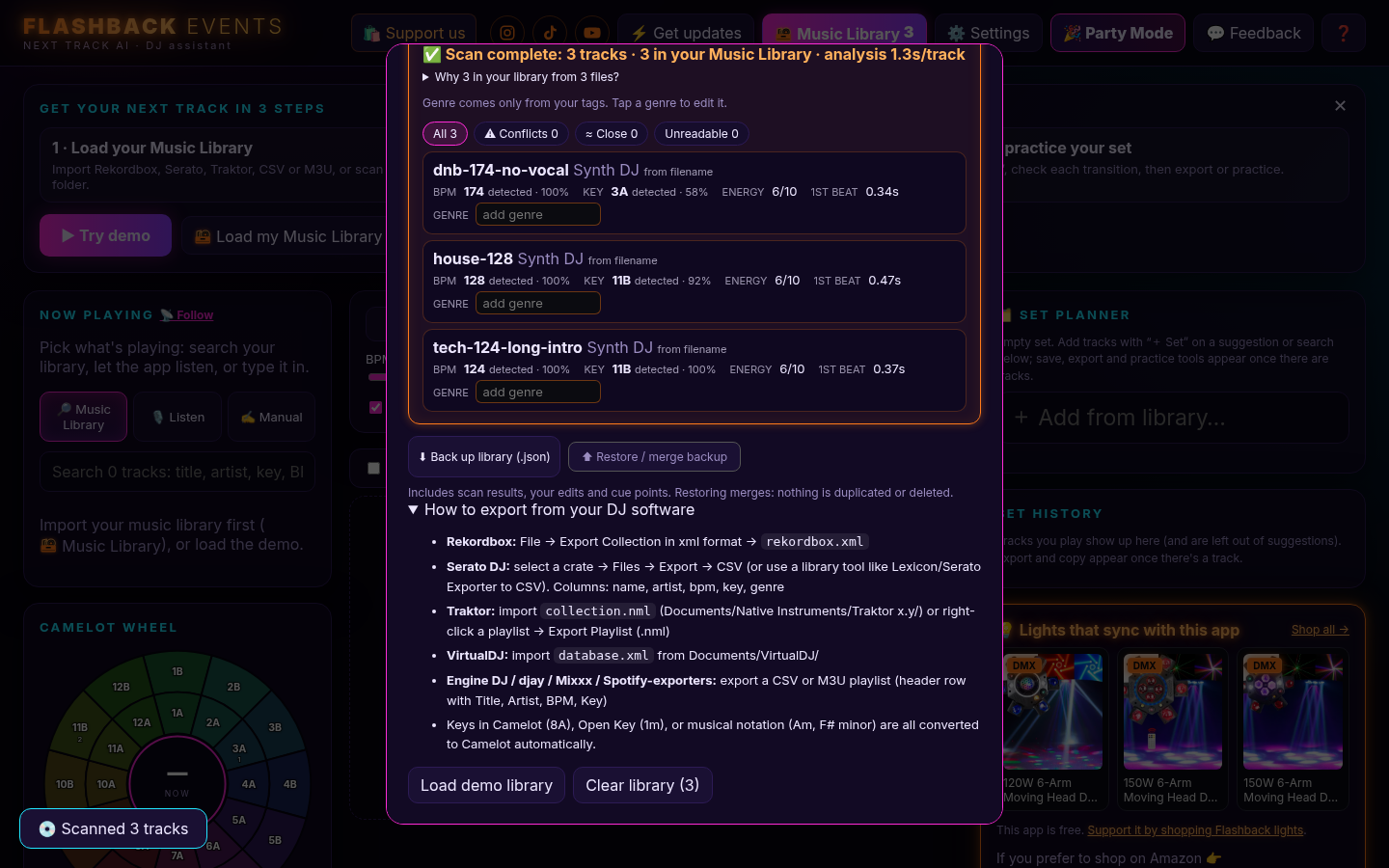
Already organized in Rekordbox, Serato, Traktor or VirtualDJ? Import your collection and the app converts every key to Camelot automatically. No DJ software? Just point the app at a music folder and it scans the files directly, reading your tags and running its own analysis.
Curious how healthy your Rekordbox collection is? Check out the Rekordbox Playlist Analyzer.
Key and BPM Detection On Your Device
The app detects key and BPM right in your browser. Nothing gets uploaded. Your files stay on your drive, and your library is saved locally in the browser. When the detected key or BPM disagrees with your tags, the app flags it, so you can catch mislabeled tracks before they cause a clash mid-set.
A Camelot Wheel You’ll Actually Use
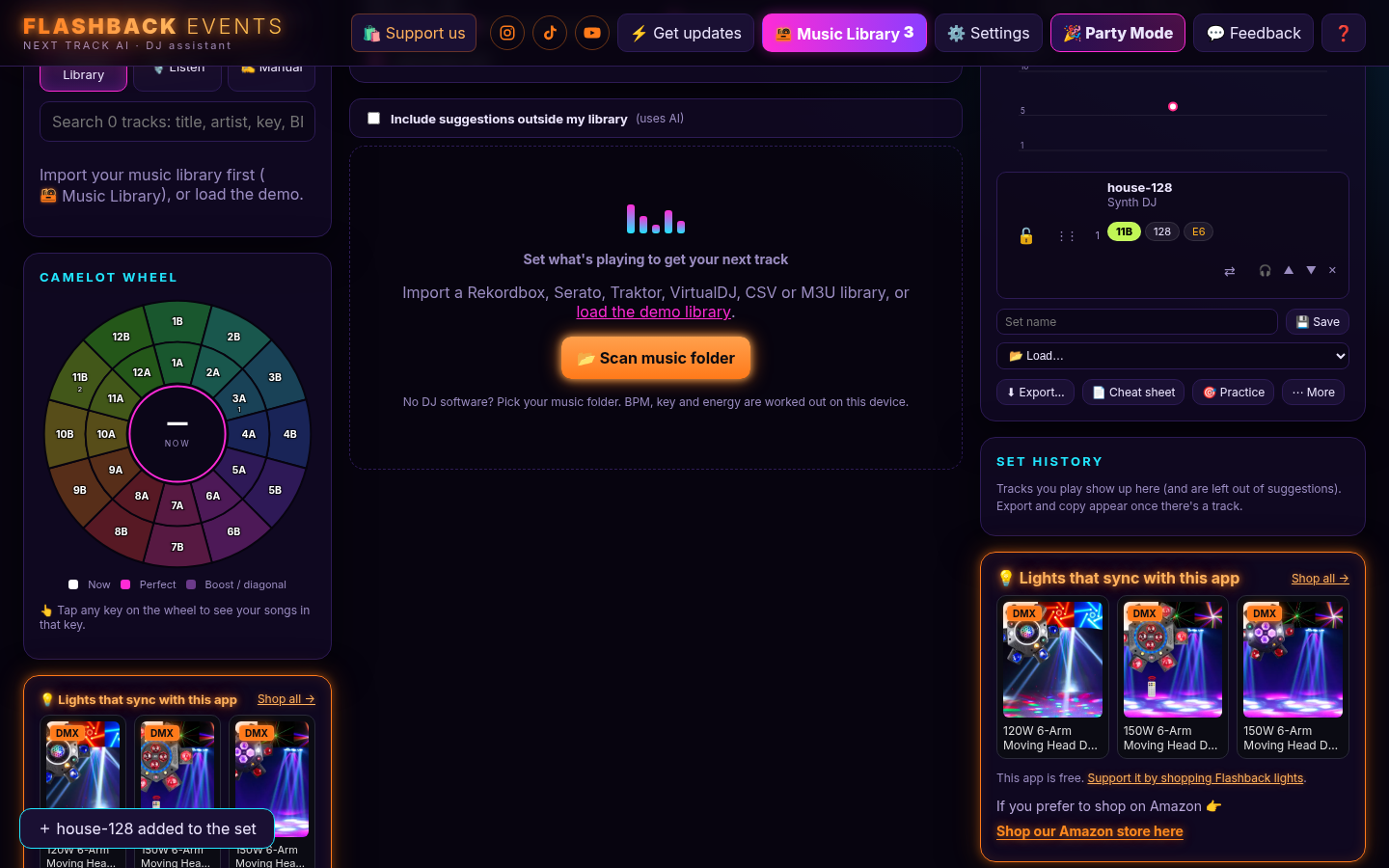
The built-in Camelot wheel shows how many tracks in your library sit in each key, and which keys mix cleanly with what’s playing. It’s the fastest way to see your harmonic options at a glance. New to the wheel? Start with the Free Camelot Wheel and our Harmonic Mixing Guide.
Plan Your Set With an Energy Arc
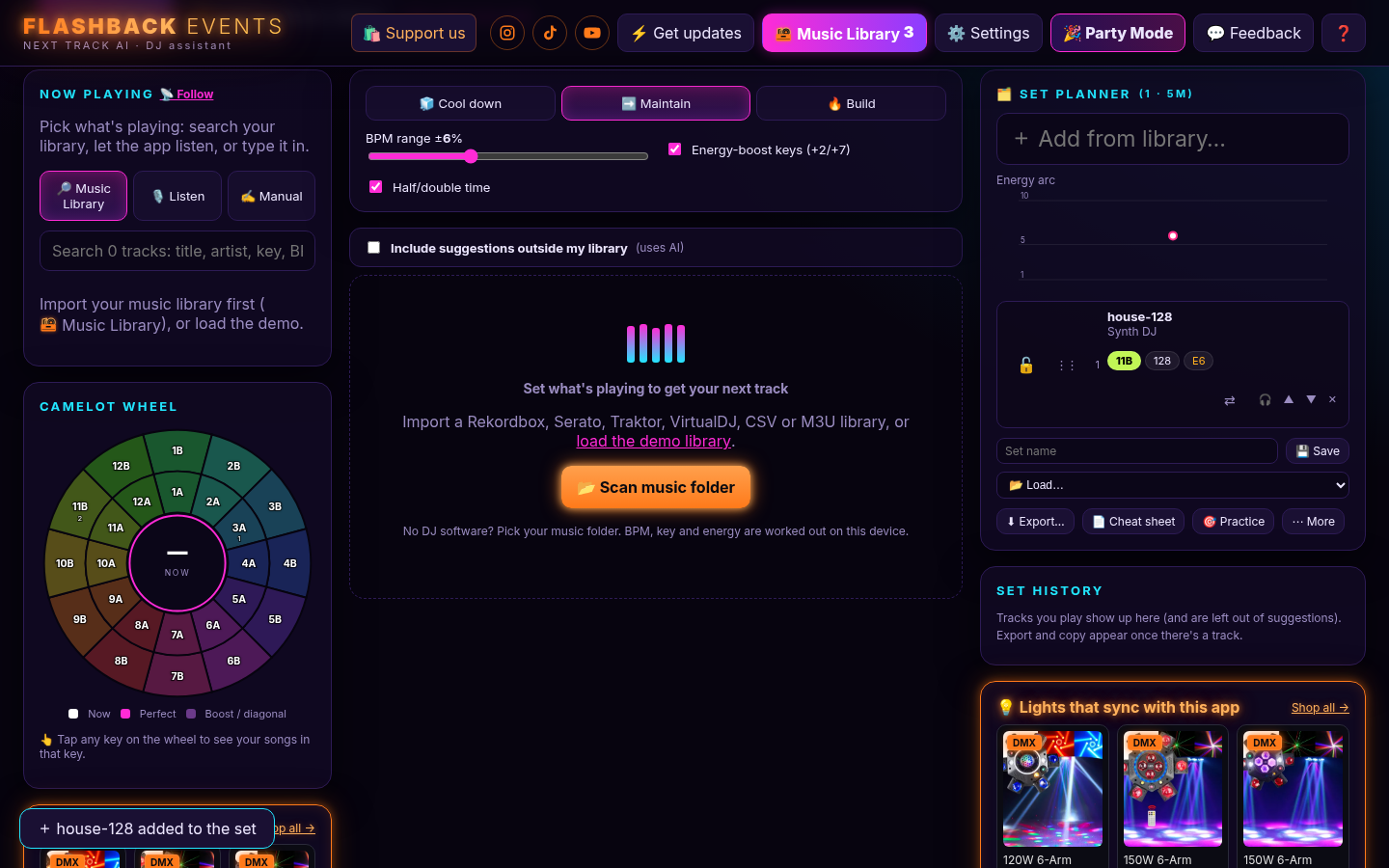
The Set Planner lets you line up tracks and see your set’s energy arc from warm-up to peak to close. Between each pair of tracks you get a transition plan: blend length, BPM change and how the keys relate. Auto cue detection suggests mix-in and mix-out points, so you know where to bring the next track in. Read more on the Harmonic Mixing Set Planner page.
Export to Rekordbox, M3U, USB or ZIP
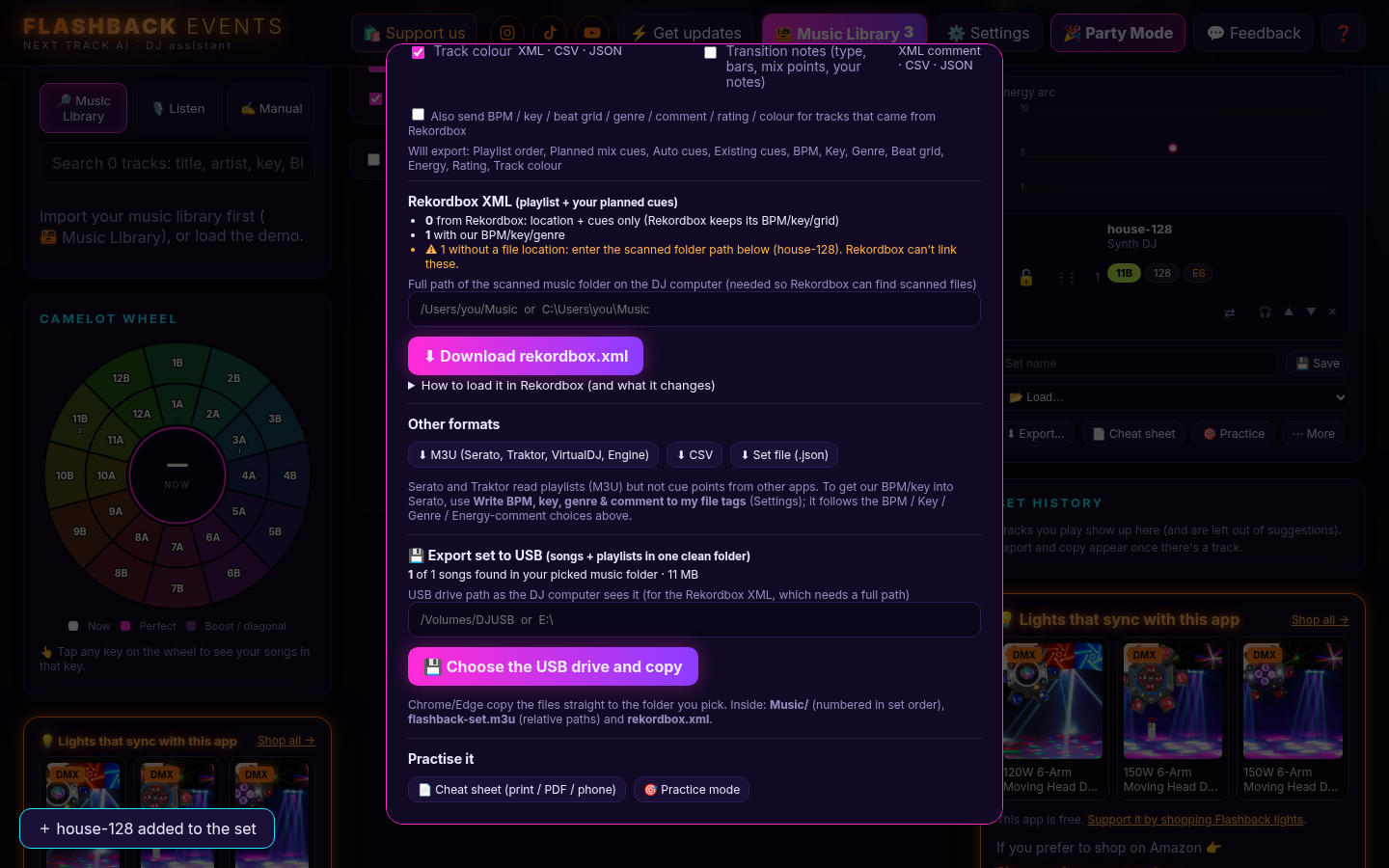
When your set is ready, export it as a Rekordbox XML or M3U playlist. Playing out on CDJs? Export to USB copies the set’s songs onto a stick in a clean folder along with a playlist that points to them (in Chrome or Edge). On Safari you can download the set as a ZIP instead and unzip it onto your drive.
New: Party Mode
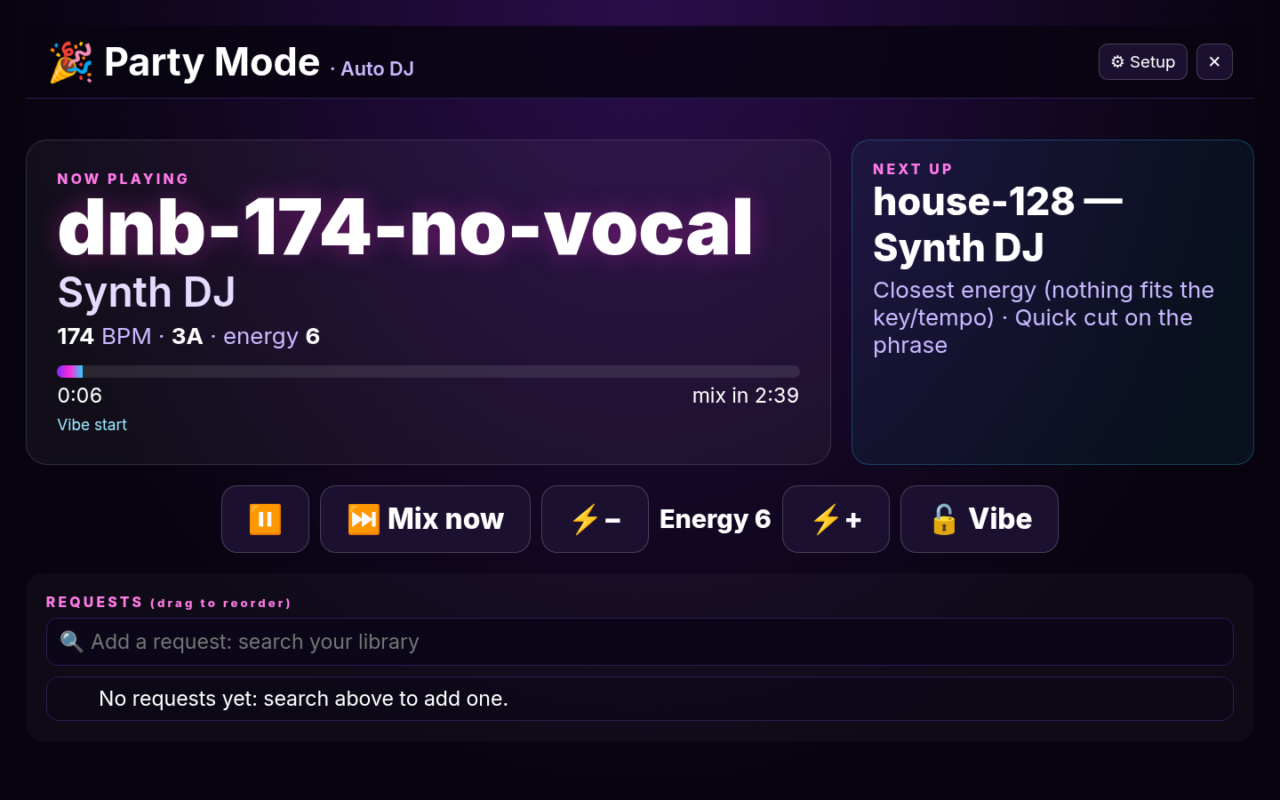
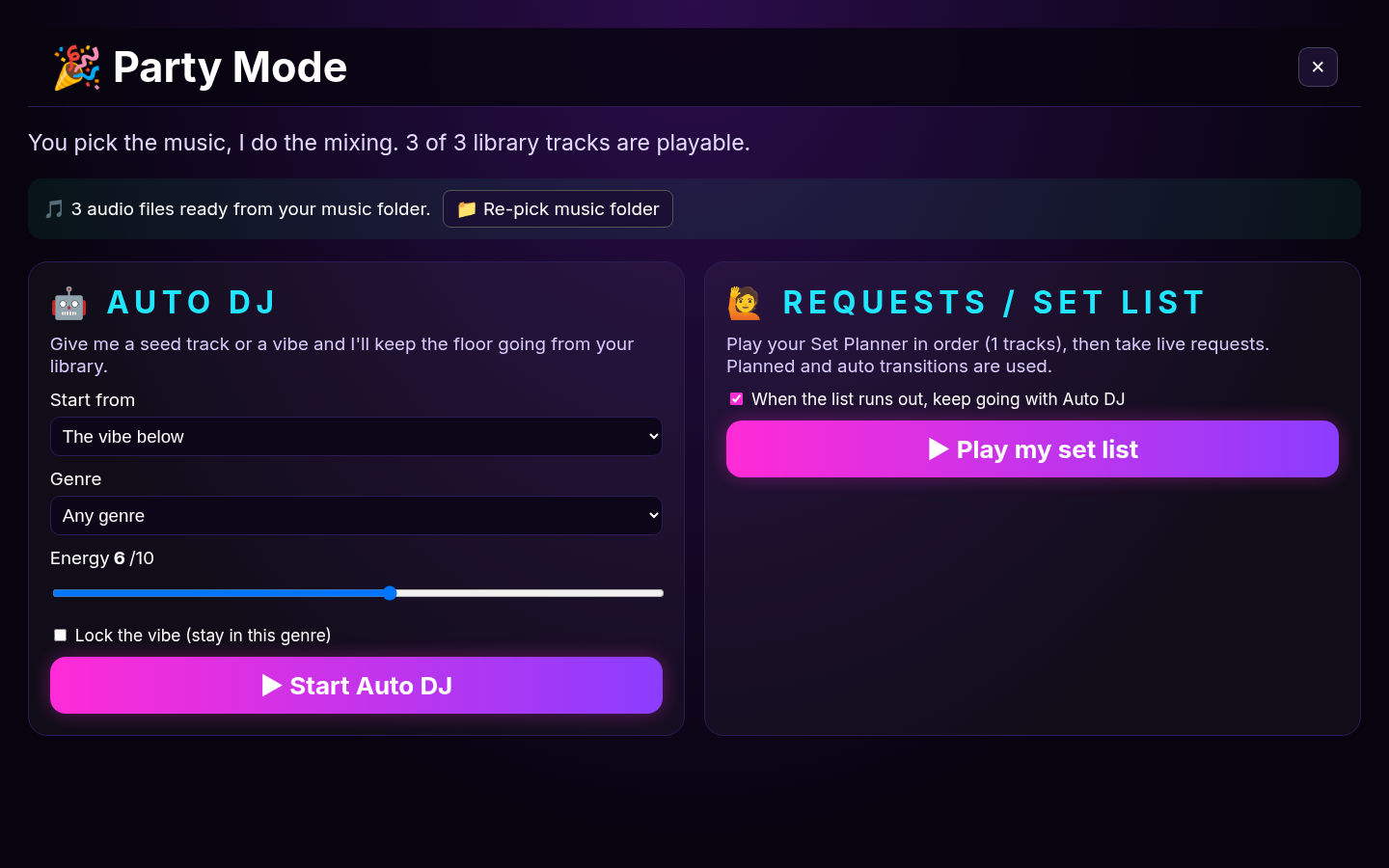
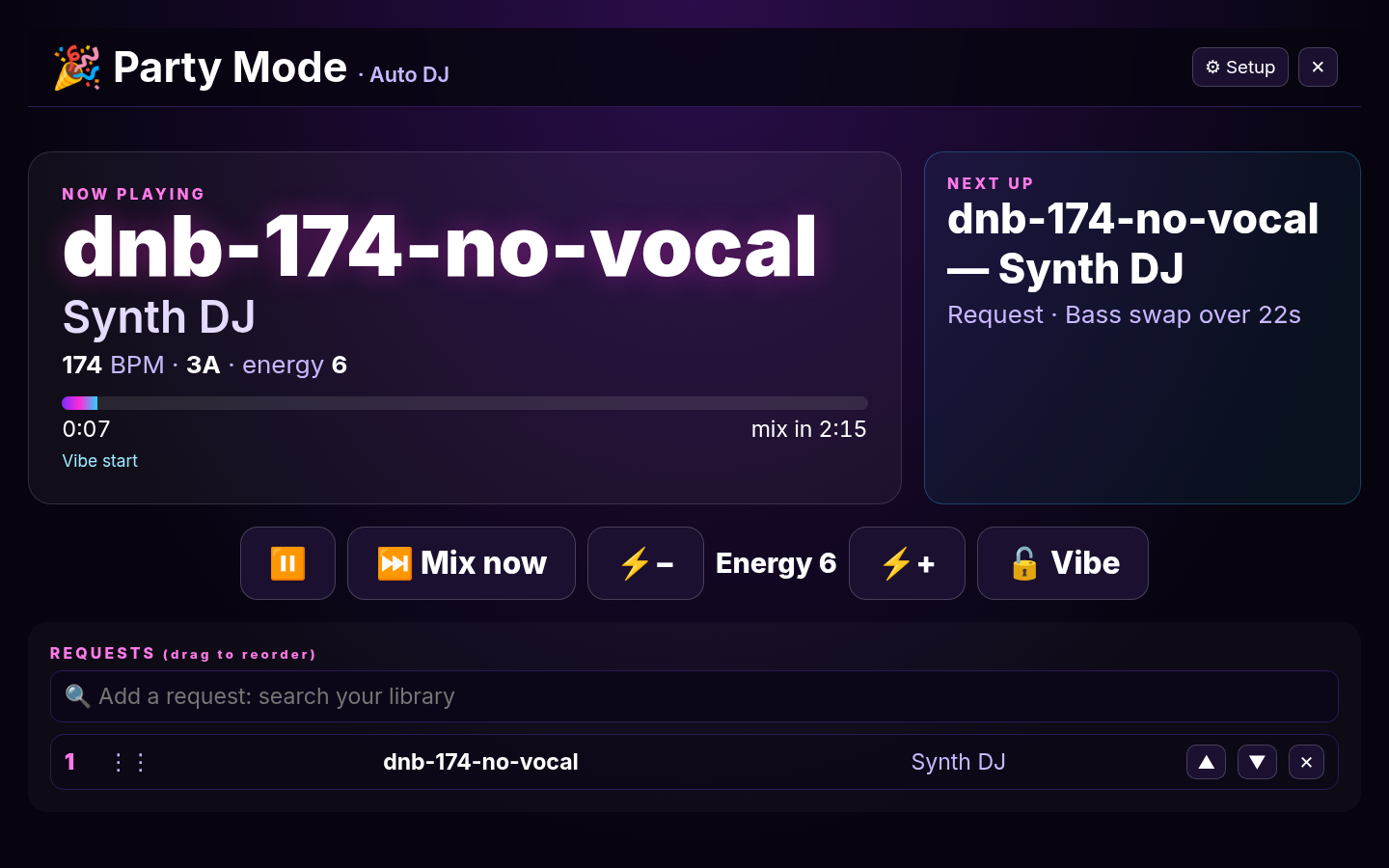
This is the big one. Party Mode opens a full-screen view that’s easy to read on a TV or projector, and the app plays and mixes the music for you. There are two ways to run it:
- Auto DJ: pick a starting song or a vibe, and the app chooses what plays next from your library, matches the tempo and crossfades using planned transitions. You still get skip and energy up/down controls.
- Requests / Set list: you or your guests build the setlist, and the app does the mixing like a DJ playing your requests.
Party Mode is brand new, so give it a spin and tell us how it sounds. Right now tempo matching works like a turntable, so the pitch moves slightly with the speed.
Coming Soon to Party Mode (Not Live Yet)
Heads up: everything in this section is in development and not in the app yet. We’re sharing it early so you know what’s coming.
- CDJ style vs Turntable style: CDJ style will be the default. It works like key lock on a CDJ, so the app changes the tempo to match the next track and the song stays in its original key. Turntable style lets the pitch move with the tempo, the classic vinyl feel some DJs love.
- Animated virtual mixer: a full on-screen mixer with spinning jog wheels, EQ and filter knobs, channel faders and a crossfader, all moving along with the real mix as it happens. It looks great on a big screen and shows guests exactly what the “DJ” is doing.
- Audience song requests (Pro preview): guests scan a QR code and send requests from their phones, and the host approves what makes the setlist. This is an early look at a feature planned for the paid Pro version of the app.
- Music-reactive visualizers: visuals that pulse with the beat and energy of the mix, which you can turn on or off whenever you like.
Want a say in what ships first? Send us your feedback from inside the app.
Works in Your Browser on Mac and Windows
There’s nothing to install. Open dj.dancepartylights.com in Chrome, Edge or Safari on your Mac or Windows computer and start mixing. Chrome and Edge unlock a few extras, like copying a set straight to USB.
Make the Lights Match the Music
Great mixing deserves a great light show. Our DMX moving head and laser lights are built for mobile DJs, weddings and house parties, and they react to the music with sound-active and DMX modes. Pair them with the app for a full party setup:
- 150W 6-Arm Moving Head DJ Light (DMX)
- 120W 4-Arm Moving Head DJ Light (DMX)
- 2W RGB Animation Laser (DMX, Sound Active)
Browse the full lineup in our shop.
Try It Free Tonight
Load your library, find your next track, plan a set, or let Party Mode run the next house party. Then tell us what you think. We’re adding features fast.
Follow along for mixes, light shows and app updates: Instagram @dancepartylights, TikTok @yourpartylighting, and YouTube Flashback Events.
