
Blog
What’s New in DMX Flashback Events: CDJ-3000X, Helios and Next-Song Ideas
Nov
DMX Flashback Events has a handful of new tools that make the show easier to run from the booth and from your phone. Here is what is live now, in plain words.
Free during the beta: the app, including the Mac helper, is free to use while it is in beta. For a one-page summary, see the overview. The step-by-step help is in the guide.
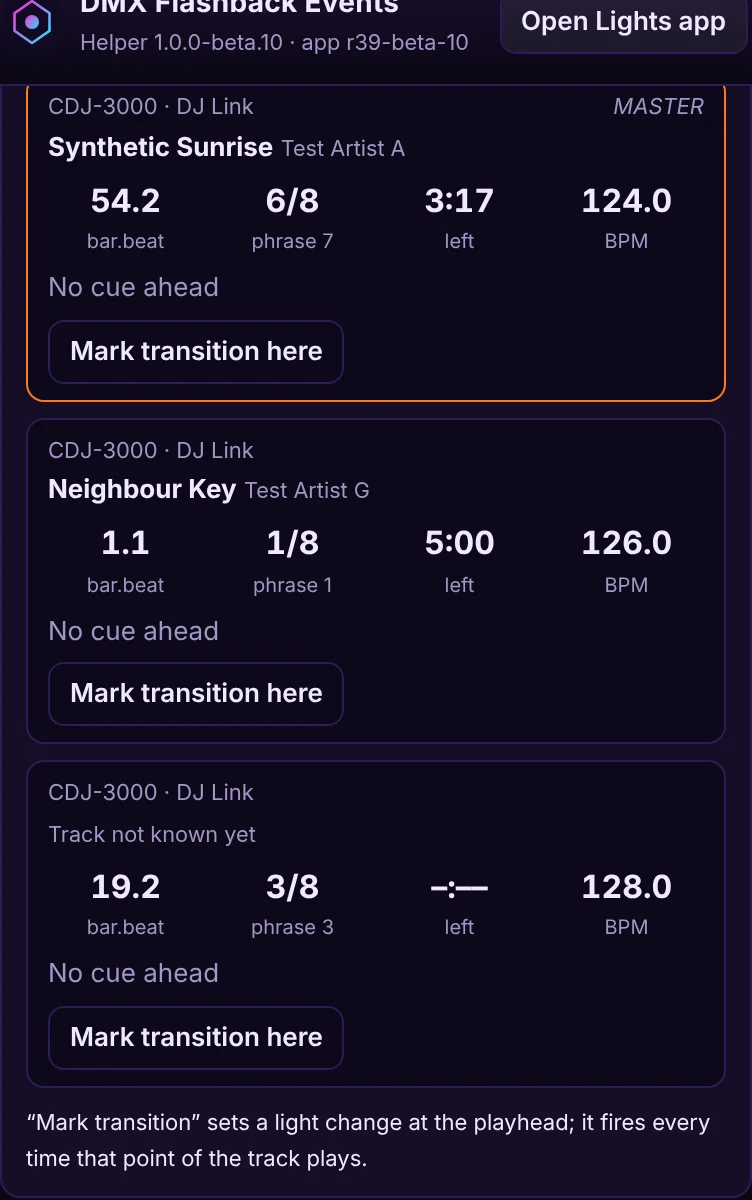
Pro DJ Link for the CDJ-3000X, on any size network
If you play on Pioneer CDJs, the Mac helper can join the Pro DJ Link network and lock the lights to your set. It now works with the CDJ-3000X, as well as the CDJ-3000 and other CDJs and XDJs. It finds your players on a small gig network or a larger venue network.
Put the Mac on the same network as the players (a cable is best, Wi-Fi works). In the helper, keep Announce to CDJs on. You will see each deck’s BPM, beat, Playing or Paused, MASTER and ON AIR, and time left. Turn on Ask the CDJs for track data and you also get the title, the beat grid, the waveform and your hot cues A–H, with their colours. The lights follow the master deck.
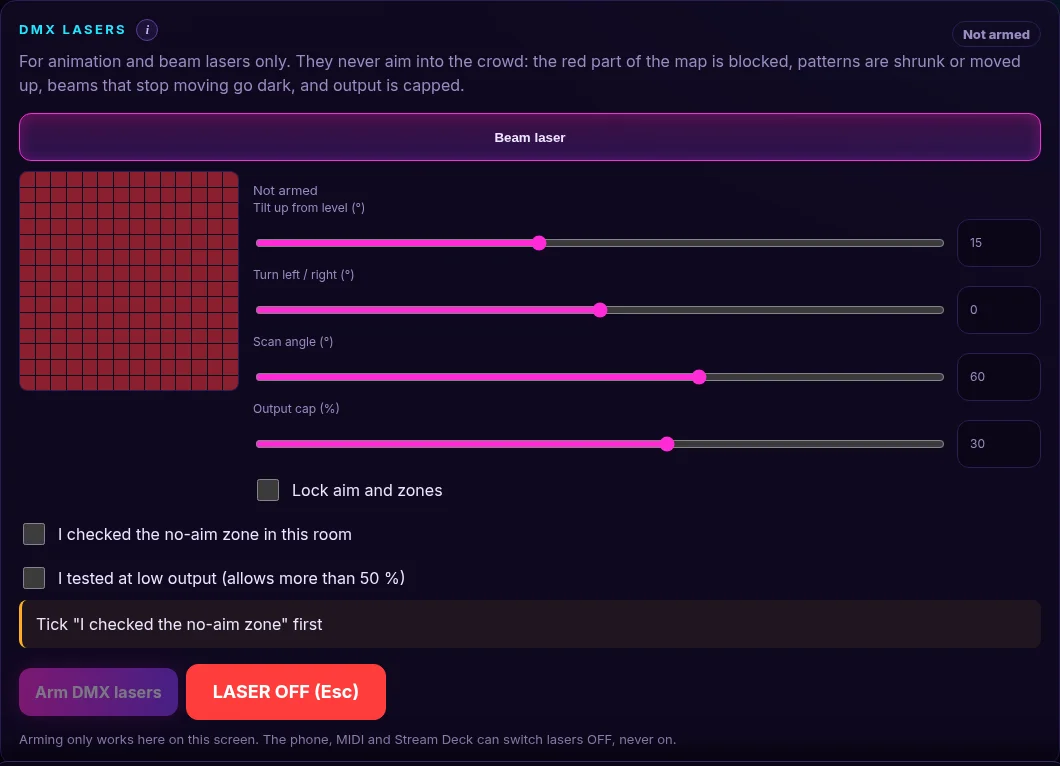
Helios laser: safe zones and arming
The helper can now drive an ILDA laser through a Helios DAC plugged into your Mac. Pick a look on the Laser tab, check the 3D preview, then arm. Nothing comes on until you arm it yourself, on the app screen. MIDI, Stream Deck and the phone can switch lasers off, never on.
Safety is built in: a safe height, a low-power test before you raise the level, safe zones you can line up on a wall, and LASER OFF (or the Esc key) to stop every laser at once. Before a gig, use Align zones to see where the edges land in the room, then lock them. The Helios first test in the guide walks through the first time, with the key off until you are ready.
Next-song ideas, with Camelot colours on your phone
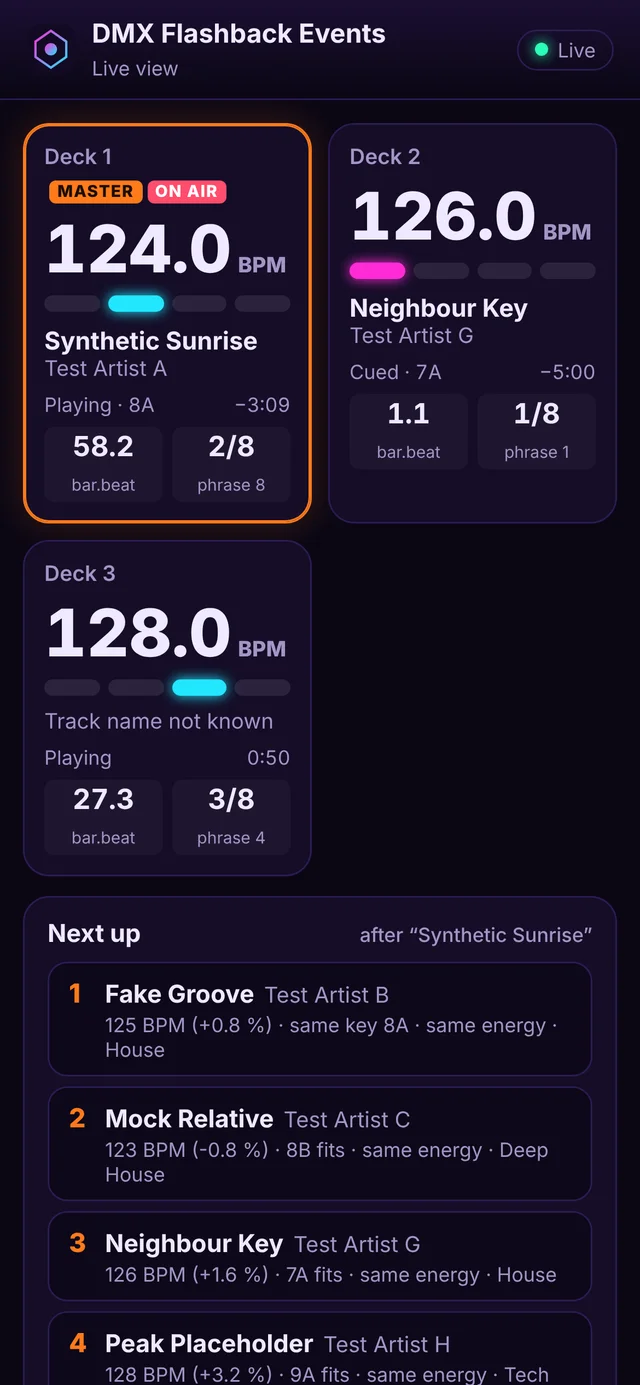
Pick your rekordbox library export in the helper and you will see ideas for the next song: a key that mixes, close BPM, same energy. Your library stays on your Mac.
The helper window and the phone Live view show the Camelot key of the deck the lights follow, and each idea’s key with how it mixes, next to its BPM:
- Green: same key.
- Blue: one step on the wheel (energy up or down), or the relative major / minor (for example 8A and 8B).
- Orange: an energy boost (+2 or +7 on the wheel).
On your phone, turn on Live view in the helper, scan the QR code and type the PIN. You will see each deck’s BPM, counters, time left and waveform, plus those next-song ideas. For a remote, turn on Allow control from the phone: it can fire pads, Blackout and LASER OFF, and it can never arm a laser.
Spotlight follow speed
On the Spotlight tab you can aim moving heads from a top-view map and follow someone with your finger. There is now a Follow speed you can set:
- Fast (the default) keeps up with someone walking.
- Instant puts the beam exactly where your finger is.
- Smooth glides, for a first dance or a slow walk.
The buttons and the slider always match, and Follow speed also sets each light’s own pan and tilt motor speed. You can still flip a beam that is going the wrong way, and calibrate a light with three floor marks if it is close in one place but off in others.
Anonymous played-after sharing
To make next-song ideas smarter over time, the DJ app and the helper can share anonymous song-order data: which song was played after which, without naming the songs. Only an audio fingerprint or a title-free track id, BPM, key and energy, a rough mix overlap, a random install id and the date are sent. Titles, artists, file paths, audio, IP addresses, location and accounts are not stored.
A first-launch notice explains this, with OK and Turn off. In the EU, EEA and UK it starts off until you turn it on. You can switch it off later and use Delete my shared data in Settings. For the full details, see Played-after song-order sharing in our privacy policy.
Try the updates
It is free during the beta. Open the app, download the latest helper from inside it, and have a look. The guide covers DJ Link, the Helios first test, Spotlight and the phone Live view in short steps. New to the app? Start with Meet DMX Flashback Events. Found a bug or have an idea? Tap Feedback in the app.
Follow along for light shows, mixes and app updates: Instagram @dancepartylights, TikTok @yourpartylighting, and YouTube Flashback Events.
